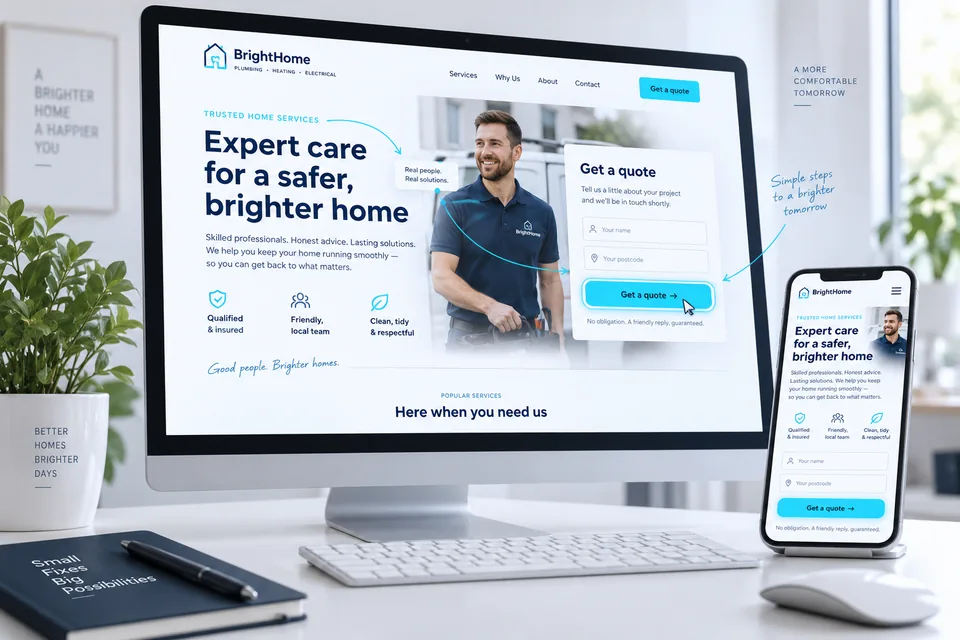

AI can quickly produce a design direction, draft copy or code. The real question is whether the result fits your business, gets the facts right and actually works. A polished first screen can still hide unsupported claims, a form that never sends or generic copy that gives visitors no reason to choose you.
Give AI real information before asking for a design
A useful brief defines your service, audience, desired action, traffic source and verified business facts. Spell out what the page must not promise: unconfirmed availability, an unfinished price or outcomes outside your control. Ask the tool to flag missing information rather than invent it.
For example: “Plan a page for pergola installation in our actual service area. The goal is to request a planning call. Use only the services and images I provide. Flag anything missing before writing about warranties, prices or timelines.” Our landing page launch guide provides a framework for gathering the right material.
 Planning & setup
A shared brief connects business goals, audience needs and project deliverables.
Assign a specific task, one step at a time
Ask for headline options, a proposed section order or unanswered customer questions. Choose a direction, then develop it. “Build the world's highest-converting page” gives you nothing concrete to evaluate. “Explain this service to this audience” does.
Develop code in stages too: layout, mobile behavior, form states and integrations. Test each stage. An AI success message is not quality assurance. Landing page development means taking responsibility for how a page behaves, not just producing a file.
 Examples & inspiration
Study who a page is for, how it communicates value and what helps readers take the next step.
Edit the copy to reflect your actual business
Check the source of every claim. Experience, customer counts, testimonials, prices and credentials need verified support. Replace statements that could describe any company with details from your actual process, examples and customer questions.
Read the copy aloud. Does it sound like someone from your team? AI can be wordy, repetitive or overly grand. Our guide to business differentiation on landing pages connects messaging to real strengths. An editor still needs to choose, tighten and correct.
Where can AI help most?
Choose a task to see the expected output and what still needs review.
Several directions. One human decision.
Request headline and structure options, then choose based on your audience and verified facts.
See the idea before building it.
Review hierarchy, image sources and fit with your actual brand assets.
Test the process, not just the presentation.
Verify submissions, integrations, permissions and error states before launch.
Illustrative scenarios. Adapt them to your business's actual offer.
Distinguish an illustration from proof
Generated images can explain a concept or set a mood. They do not document your work, staff or satisfied customers. Never present a generated person as a real reviewer, or a product concept as a feature that already exists.
Inspect hands, details, signs and professional context. Check the mobile crop too: a striking image loses its purpose if the important detail disappears on a phone. Supply appropriately sized versions and meaningful alt text. Our landing page design guide connects visuals with hierarchy and action.
Check what works, not just what looks functional
Click every button. Submit valid and invalid test forms, and confirm that inquiries reach the right destination. Test menus, links, keyboard access and loading states. A form that says “sent” without contacting a server is not a working inquiry process.
Review permissions, error handling and data protection for every external integration. Secret keys must never reach the browser. Do not upload customer data or sensitive documents to AI tools without authorization and an understanding of how they are used. Use fictional data for testing.
Scroll horizontally to compare
| Deliverable | Review question |
|---|---|
| Content | Is every claim backed by verified information? |
| Image | Is it clear whether this is an illustration or real documentation? |
| Form | Does the inquiry reach its destination with a genuine confirmation? |
| Mobile | Is the action easy to complete with the keyboard open? |
| Code & integrations | Who owns maintenance and failure recovery? |
 Development & infrastructure
Behind the experience are the code, integrations and tests that keep a page working over time.
Create useful content instead of near-duplicate pages
Google emphasizes value for users, including when AI assists with content. Producing large numbers of pages without added value to manipulate rankings can constitute abuse. Read the official guidance on AI-generated content. The tool does not replace editing or verification.
Instead of creating dozens of pages that only change a city name, publish distinct content when there is a distinct need. Link where it helps the reader. Our landing page SEO guide connects useful content with crawlable infrastructure, without making keywords the article's only purpose.
 Content & SEO
Clear structure, useful content and relevant links create a sound foundation for search.
When should you bring in a professional?
Significant ad spend, CRM integrations, checkout, dynamic content and multiple customer journeys all increase the need for planning and testing. A professional should explain what they will test and take responsibility for. Using an advanced tool is not, by itself, evidence of quality.
A combined approach can work well: your team gathers material and drafts ideas; specialists refine the messaging, design and implementation. Our landing page platform comparison helps you decide where the page will live and who will maintain it. Hand over sources and decisions alongside the finished files.
 Testing & improvement
Usability testing reveals questions, friction and confusion that reports alone can miss.
Define what makes a draft ready to launch
Set acceptance criteria: approved copy, licensed or clearly labeled images, a tested form, working links and usable layouts on relevant devices. Record who can edit the page and who handles issues. Your business should be able to keep using the result after the AI conversation ends.
Our landing page design and development service turns an early idea into a complete customer journey. We examine the offer, story and next step. Faster creation is valuable when it leaves room for careful review and refinement.
Ready for the next step?
Check off what you already have. This checklist stays on this page; selections are not submitted or saved after a refresh.
Common questions
Can I start on my own and improve it later?
Yes, provided you retain the content, assets and system access. Check your claims and inquiry process before sending real customers to even an early version.
Does Google automatically reject AI content?
The guidance focuses on quality, value and how content is used. Automation cannot replace useful content, and generating pages at scale to manipulate rankings is not a sound strategy.
Can a business page use AI-generated images?
Appropriate illustrations can be used subject to rights and tool terms. Make sure they do not imply that they depict your actual team, customers or results when they do not.
Images in this guide were created with AI for illustration. They do not depict actual clients, team members or campaign results.