

First, distinguish the products: WordPress is a content management system; Elementor is a builder within WordPress; Wix is a website platform. These are not three identical alternatives. The decision shapes how you work, who is responsible, and how the page is maintained after launch.
Distinguish the platform, editor, and design
WordPress pages can use the built-in editor, a theme, or an additional builder. Elementor adds a visual page-building workflow within WordPress. Wix pages use its platform and editor. In every case, content, assets, and implementation decisions also shape the result.
The official WordPress Pages documentation describes page structure and templates. It is a planning resource, not evidence that every project needs WordPress. Before comparing tools, decide whether you need a landing page or a business website with several paths.
Write requirements you can verify in a demo
List who edits text and images, which form fields are needed, and where leads go. Add language, checkout, dynamic content, scheduling, and CRM requirements. Ask to see an everyday task performed in each solution rather than only a general interface tour.
If a website exists, consider whether adding a page simplifies maintenance. A new platform may create a second place to manage content and forms, but can also meet a need the current system cannot easily support. Decide based on requirements and capability rather than a provider's default preference.
 Page or website
A focused page and a multi-page website serve different needs. Start with the journey your customers require.
Plan for independent content editing
Good self-service editing changes content without breaking layout. Define which components are editable and which remain fixed. Replacing a project photo should preserve aspect ratio and alt text. Test headings longer than the original sample.
Elementor's Canvas layout can remove the theme header and footer when appropriate. Its page settings documentation explains the options. Distinguish that from the legacy Landing Pages feature, which Elementor marks as deprecated; a regular page can serve as a landing page. Wix supports blank pages and templates, as its official guide explains.
 Design & hierarchy
Color, spacing, imagery and typography create a hierarchy that guides attention to what matters.
What matters most to your team?
Use this selection to clarify what to check in a proposal. It is not an automatic platform recommendation.
Start with what already works.
Check the theme, licenses, and form integration before adding another platform.
Content changes. The structure stays clear.
Ask to see a headline, image, and offer changed without breaking mobile layouts.
Check the connection, not just the editor.
Map fields, permissions, failures, and handoff before choosing the tool.
Illustrative scenarios. Adapt them to your business's actual offer.
Compare ongoing responsibilities and flexibility
Self-hosted WordPress requires arrangements for hosting, updates, backups, and plugins. A provider can manage these, but responsibilities should be documented. For managed platforms, check the plan's inclusions, relevant limits, and access controls. Prices and features change, so verify the actual offer before purchasing.
Custom development is another option for a defined need, with documentation and a maintenance plan. Choose a solution the team can operate reliably rather than simply the one with the longest feature list. Our landing page development guide covers integrations and acceptance testing.
Scroll horizontally to compare
| Topic | What to clarify before choosing |
|---|---|
| Editing | Which changes will the business make independently? |
| Maintenance | Who handles updates, backups, and failures? |
| Integrations | Has the connection to your specific system been tested? |
| Future migration | What can be exported, and how would you change providers? |
| Costs | Which licenses and services renew throughout the year? |
Test performance on a real page
Do not assume every page on a platform will be fast or slow. Image size, third-party components, scripts, and implementation affect the experience. Review a comparable page on a phone. Check when the form becomes usable, not only when the first image appears.
Our fast landing page guide covers asset planning and usability testing. Agree on image sizes, third-party components, and animation behavior in advance. The ability to add an effect is not a reason to apply it everywhere.
 Development & infrastructure
Behind the experience are the code, integrations and tests that keep a page working over time.
Verify integrations before approving the design
“It has an integration” is too vague. Check which fields transfer, how errors are handled, and whether source context is preserved. For payment or email systems, test transitions and customer messages. An integration is not complete until it works end to end.
Test failure as well as success: an invalid address, oversized file, or unavailable external service. The page should explain the problem without erasing completed information. Our checkout landing page guide explains why system confirmation matters more than a success screen.
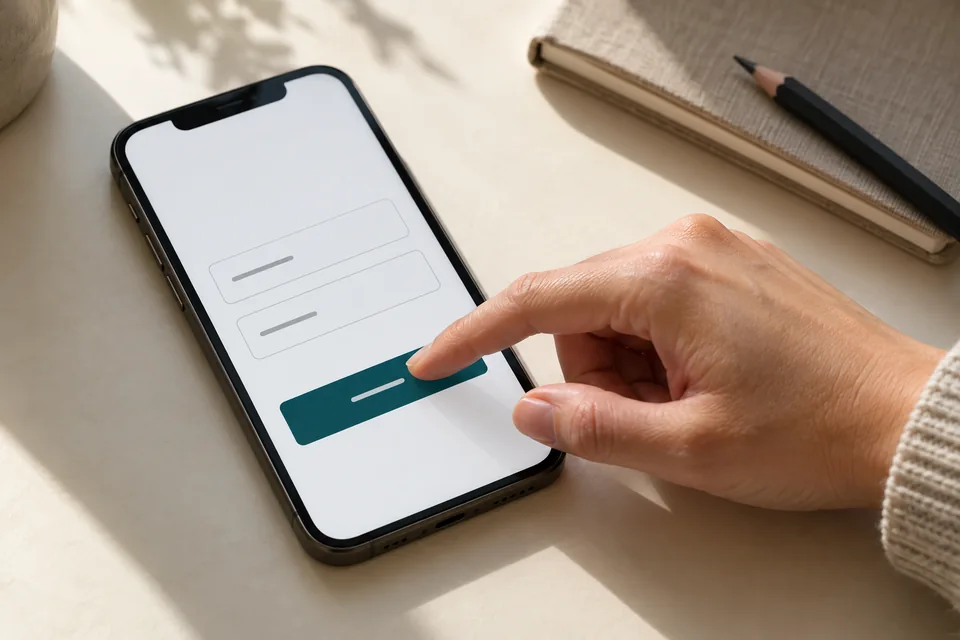 Mobile forms
Start with the information needed for the next conversation. Mark optional fields, explain what happens after submission and make buttons easy to tap.
Establish ownership and knowledge transfer
Clarify ownership of the domain, platform account, and licenses, plus who can grant access to another provider. Record where source text, images, and files live. If canceling a paid service affects the page, make that clear before launch.
Request brief training on common tasks and documentation of key settings. Handoff does not need a technical textbook. It should explain where to edit, how to verify a lead, and whom to contact when something fails. The landing page launch process should include this stage rather than end with a URL.
Choose against a brief, approve against the outcome
Send every provider the same requirements and request an answer to each. This reveals whether proposal differences concern design, integrations, writing, or maintenance. Include real business content: actual headlines and project photography may behave differently from placeholders.
We approach landing page development through business needs and the required customer experience. The tool supports those goals. If you are considering an automated builder, read our guide to building a landing page with AI and the checks still needed before launch.
 Mobile & performance
On mobile, the message and next action should be easy to find and use.
Ready for the next step?
Check off what you already have. This checklist stays on this page; selections are not submitted or saved after a refresh.
Common questions
Does Elementor replace WordPress?
No. Elementor runs within WordPress. Choosing it concerns the page-building workflow and editing requirements.
Can I build a landing page in Wix?
Yes. Wix documents landing page creation using a blank page or template. Verify that your required integrations and capabilities are included in the chosen solution.
Which platform is best for SEO?
No platform guarantees rankings. Check accessible content, metadata, URLs, links, performance, and the ability to maintain useful information.
Images in this guide were created with AI for illustration. They do not depict actual clients, team members or campaign results.