
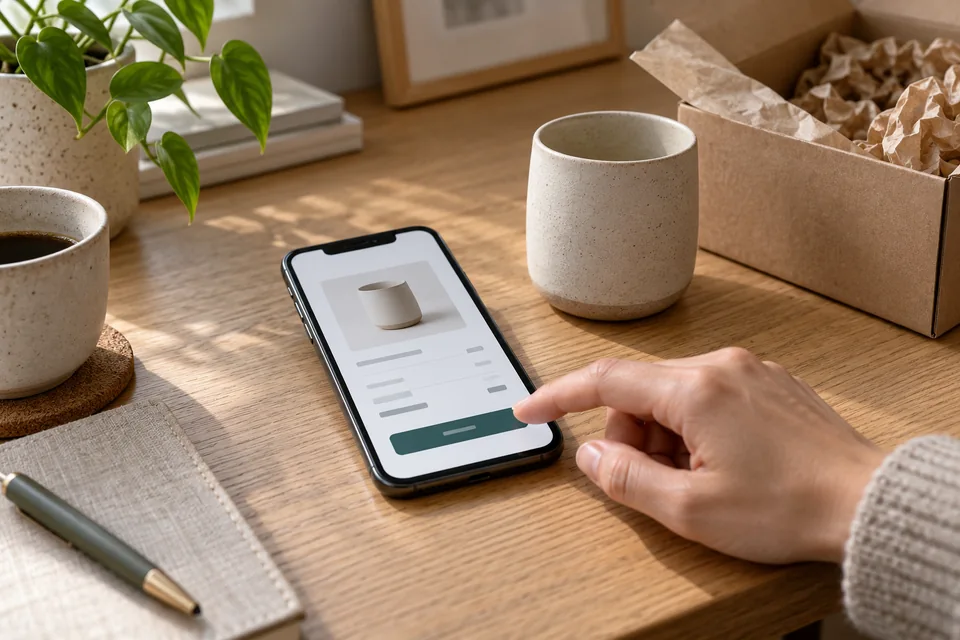
A Buy button begins a process that must end with a clear order and reliable delivery. A page with checkout connects marketing, customer support, and technical systems. Plan what customers buy, what they pay, and what happens when payment does not go as expected.
Define exactly what the customer is buying
Start with the product or service name, what is included, and the quantity or plan. Specify whether the charge is a full payment, deposit, or subscription. Make additional costs clear before confirmation. An incomplete advertised price creates hesitation just as the customer is ready to buy.
For digital products, explain when and how access is provided. For event tickets, include the date and participation terms. For services, state whether payment confirms a booking or starts an eligibility review. Review transaction terms and policies against the actual product and applicable requirements instead of borrowing an unsuitable template.
 Launches & products
Show the product and how it is used, clearly distinguishing existing features from planned ones.
Choose the right payment flow for the product
You can redirect to a provider-hosted checkout or integrate an approved payment component. The choice depends on the provider, system, and customer experience. A short transition to hosted checkout may be appropriate; prepare customers for it and maintain continuity in the business name, product, and amount.
Assess currency, payment methods, invoices, recurring billing, refunds, and integrations before choosing a provider. Features and fees change, so verify the current offering. This guide addresses experience design and testing, rather than recommending a particular provider.
 Online courses
A glimpse of a lesson, exercise and finished work helps people assess whether the teaching style fits them.
Remove uncertainty before confirmation
Show a readable order summary, the final price required for the transaction, and an easy way to correct selections without starting over. Label fields clearly and explain requests for additional information. Do not ask for a shipping address for a product that is not shipped unless another legitimate purpose is explained.
On mobile, test the form with the keyboard open, validation errors, and autofill. If checkout opens an external screen, returning should not lose the order. Landing page design includes these moments as well as the offer page.
 Mobile forms
Start with the information needed for the next conversation. Mark optional fields, explain what happens after submission and make buttons easy to tap.
What are you selling on your page?
The product determines what customers need to know and what happens after confirmation.
Pay, then get a clear path to getting started.
Define the account, access period, support, and sign-in instructions.
The location, date, and reservation are clear.
Present the event details and provide a working confirmation and ticket process.
Know what you are buying and how it arrives.
Explain the version, availability, shipping, and order summary before payment.
Illustrative scenarios. Adapt them to your business's actual offer.
Verify payment through the system, not the browser URL
A customer may close the window after paying or reach the return screen before payment completes. Your order system must verify transaction status with the provider and prevent duplicate processing. The confirmation event and exact workflow depend on the provider and payment method.
Stripe's checkout fulfillment documentation illustrates why delivery cannot depend solely on the return page. Apply that principle using your chosen provider's requirements. Landing page development should define verification, logging, and handling repeated notifications.
Scroll horizontally to compare
| Status | What the customer sees | What the system does |
|---|---|---|
| Approved | Order confirmation and a clear next step | Fulfill the order or activate the service |
| Pending | Explain that confirmation is still pending | Monitor the provider's status update |
| Failed or canceled | Offer another attempt or help | Preserve the order without claiming a confirmed purchase |
| Repeated notification | No duplicate charge or delivery | Recognize an already processed transaction |
 Development & infrastructure
Behind the experience are the code, integrations and tests that keep a page working over time.
Connect the order with fulfillment and support
A digital course needs access assigned to the correct account and clear sign-in instructions. A physical product needs inventory and shipping. A service needs a scheduling owner and timeline. Send a confirmation with a summary, support contact, and next step. An order number helps with follow-up questions.
Review the journey as someone unfamiliar with the system: do they know whether they purchased, where to find the product, and who can help? Our digital course guide connects checkout with learning. Our webinar and event registration guide follows the journey through attendance.
 Inquiries & follow-up
Connect each inquiry to its source, assign follow-up ownership and track qualification and the next conversation.
Keep payment data in purpose-built systems
Do not build ordinary fields that email card details or send them to a CRM. Use the payment provider's approved solution and process, and establish the security and compliance requirements that apply to your business. Outsourcing payment processing does not eliminate responsibility for choosing and managing it properly.
The PCI Security Standards Council also explains that outsourced processing does not remove every merchant responsibility. Separate order details from payment information, limit permissions, and keep secrets server-side. Resolve technical and compliance details with qualified professionals.
Measure verified purchases, not just clicks
Distinguish offer views, checkout starts, approved transactions, and fulfillment. A purchase event should represent a verified transaction and avoid duplicate counting on reload. Order totals and refund status should come from the order system, not browser-supplied text.
Also compare support requests, cancellations, and delivery issues. More purchases can coincide with more misunderstandings. Our conversion optimization guide considers both volume and outcome quality. For new products, our product launch guide helps plan the transition from early interest to orders.
Test every payment state before launch
Arrange a test environment or testing process with the provider. Check success, cancellation, failure, pending payments, and delayed returns. Repeated notifications must not create duplicate messages or access grants. Also test what happens if email or fulfillment services are unavailable after approval.
Before launching a landing page with checkout, assign responsibility for the offer, payment, confirmation, invoice, fulfillment, and support. Marketing should make buying feel clear and confident; the systems must deliver on the promise. Both are needed for an experience you can operate reliably.
Ready for the next step?
Check off what you already have. This checklist stays on this page; selections are not submitted or saved after a refresh.
Common questions
Do I need a full online store to accept payments?
Not necessarily. A focused offer can use a landing page with an appropriate checkout flow. A catalog, complex inventory, or multiple products may call for a broader commerce platform.
Is a thank-you screen enough to confirm a purchase?
No. Verify transaction status through the payment system. The return screen is part of the customer experience, not the sole source of truth for fulfillment.
Can I start with a form and add checkout later?
Yes, with a plan for the product, platform, and integrations. Test the new payment process and establish appropriate terms before enabling it.
Images in this guide were created with AI for illustration. They do not depict actual clients, team members or campaign results.